
Built by a teacher, not a tech company
Forget Less, Remember More
A planner built around your teaching timetable. Import it once — an .ics file, a PDF, or a photo of your schedule — then let Made to Teach catch the small things and put them where they belong in your day.
Coming soonApp StoreComing soonGoogle Play
- Built around your classes
- Private by design
- Timetable import included
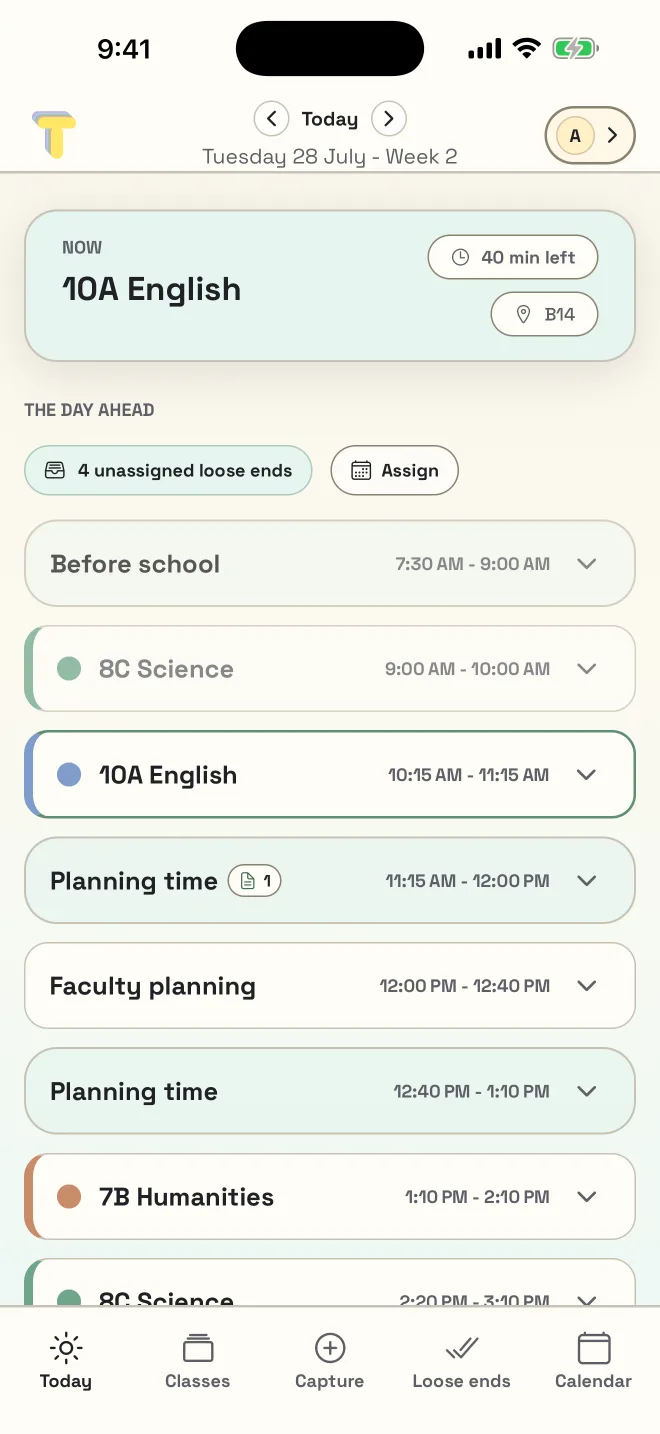
The bit no planner helps with
The thought arrives at 11:04, and the bell goes at 11:05.
A student needs a simpler version of Thursday's starter. The projector in M3 is still broken. Someone's parent wants a call back. You will remember all three until about lunchtime.
The problem was never that you don't have a to-do list. It's that the list doesn't know which class it belongs to, and it can't see that your only free block this week is Tuesday afternoon.
Made to Teach calls those loose ends, and the whole app is built around catching them.
How it works
Three steps, and none of them are “remember it yourself”.
Catch it
Type the thing while the class is still in the room, pick the class, and break it into steps if it needs them. That is the whole interaction.
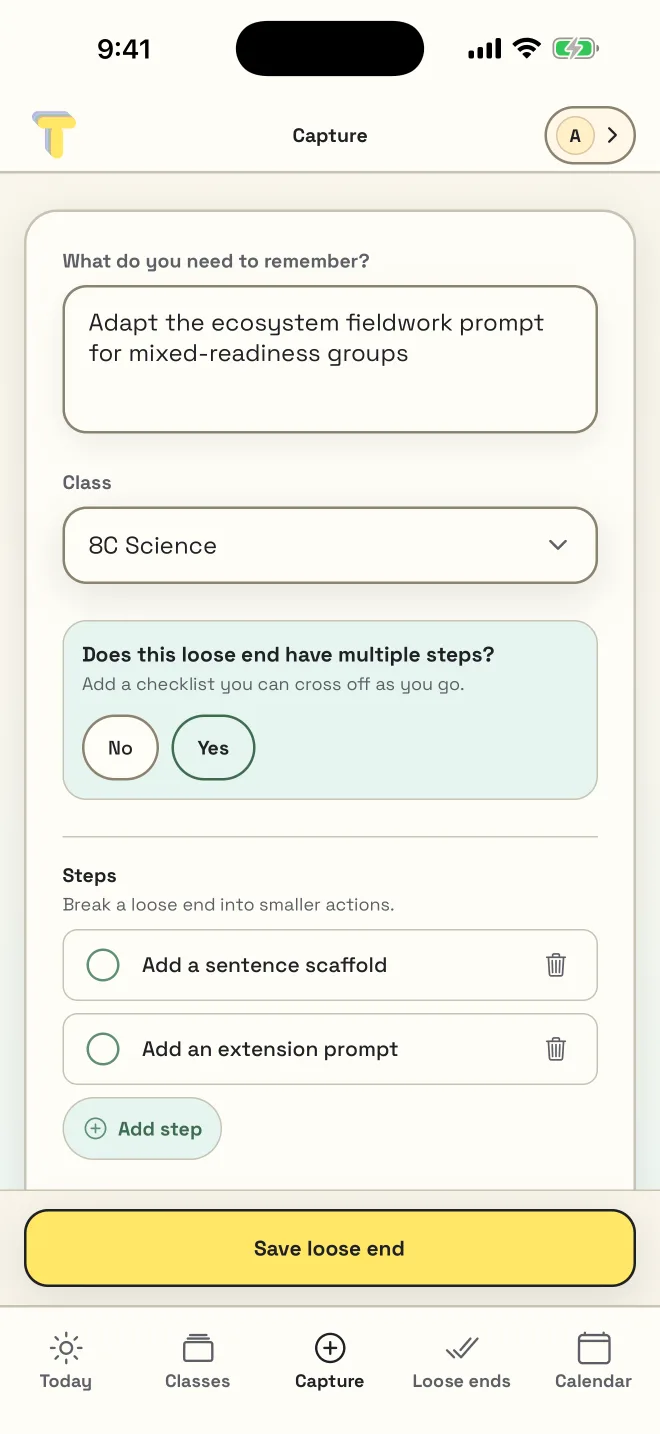
It lands where it belongs
It lands against 8C Science with a priority, not in a general pile you re-sort on Sunday night. Here it has been assigned to today at 11:15.
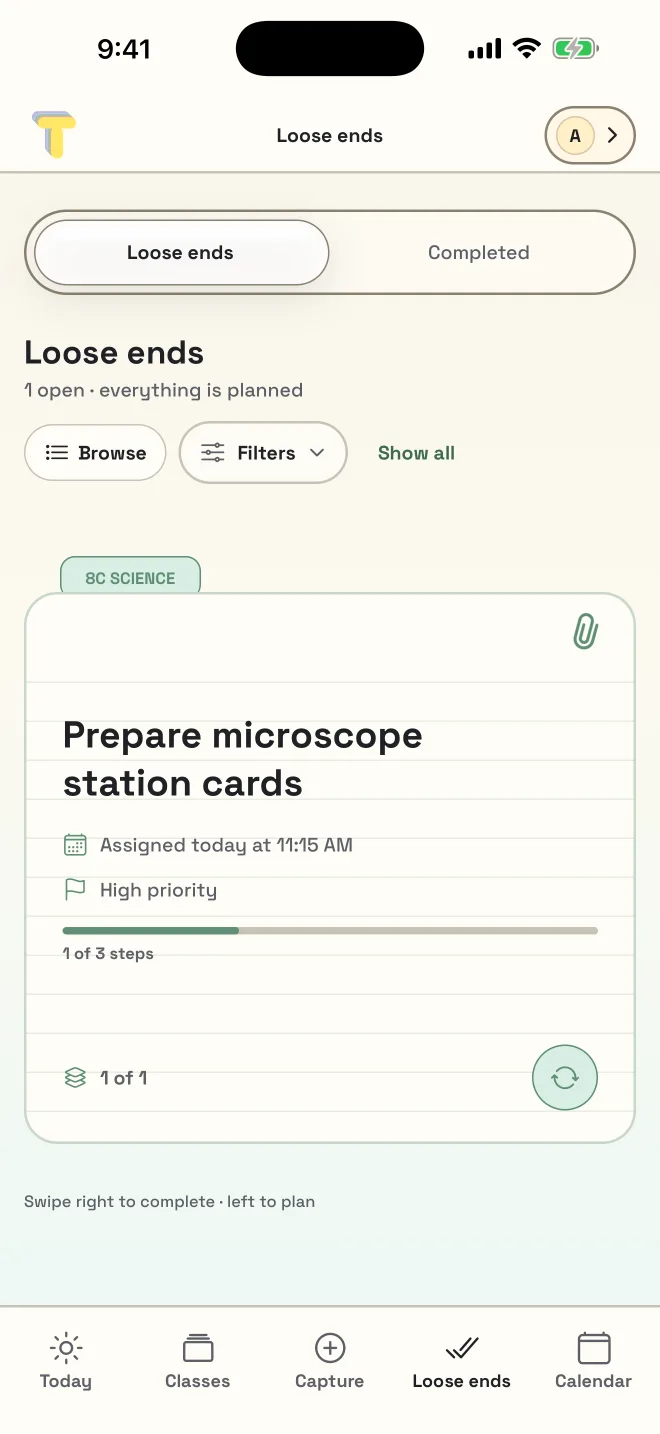
It shows up when you can act
And it surfaces in a gap you actually have — the 11:15 planning block, between 10A English and faculty planning.
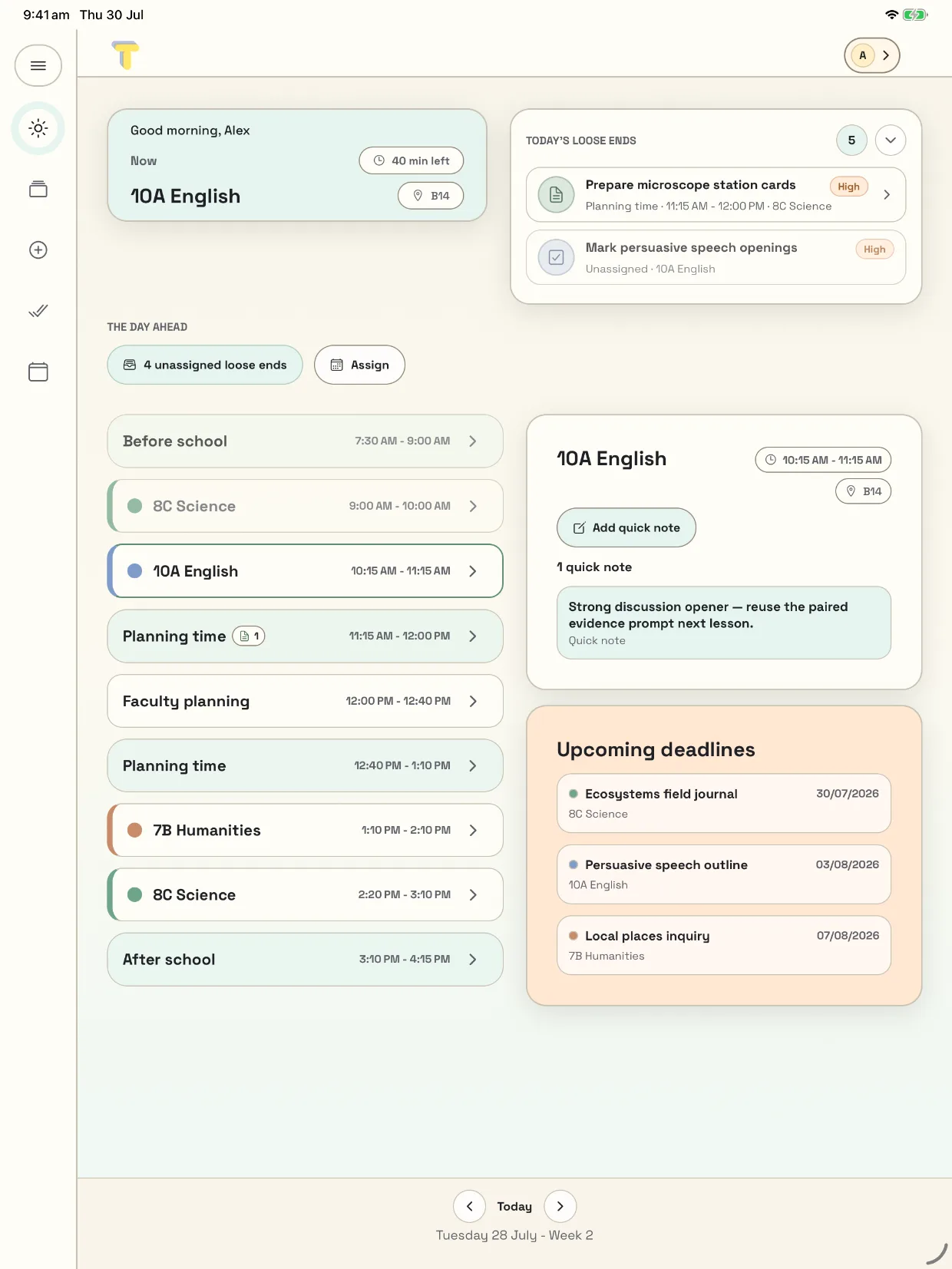
On every device you teach with
Start it on the school computer. Finish it on your phone.
Made to Teach runs in any browser, so it works on a locked-down school machine without installing anything. On a bigger screen the day opens out — your schedule beside today's loose ends, your quick notes, and what is due next.
Pick your phone up at 3:10 and it is the same Tuesday, with the same loose end still sitting in the 11:15 block.
Sync and backup are free. You only need an account.
If you already have a system
This isn't trying to replace your whole system.
Keep what works. Made to Teach is for the part that keeps falling through.
- A paper diary
- It doesn't follow you to the next room — and it can't remind you the thing was for 8 Numeracy on Thursday.
- OneNote, Notion, or Notes
- Those are blank pages. This one already knows your timetable, so a note lands on a class and in a time, not in a list.
- Your school's LMS
- That's for students and reporting. This is for the twenty small things between one bell and the next.
- Phone reminders
- A reminder fires at a time you had to guess. This one finds the gap you actually have.
Before you put anything in it
Your planning is yours.
- It isn't a student data system. Made to Teach is built around your timetable and your own notes. It doesn't ask for student records, and the import flow exists to turn a timetable into a schedule — not to build a register.
- Nothing is sold, and there are no ads. No selling personal information, no targeted advertising, no third-party ads in the app.
- The AI features ask first. Checking a PDF or photo timetable with AI is free and optional, and AI planning help is a Pro extra. Either way the app asks before the first request, and you can decline and keep using everything else.
- You can delete it, and mean it. Delete your account from Profile → Manage account, and the account and its cloud data go with it.
- It's yours, not your school's. You sign up on your own, and you keep it if you change schools. No administrator provisions it, and no administrator can take it away.
Simple pricing
Backup and sync stay free.
Most planners charge to keep your work on more than one device. This one doesn't. Pro is for when you want the limits off and the planning help on.
Free
$0
Your timetable, your classes, and ten loose ends at a time.
Pro
A$2.50/month
A$29.99 a year. Or A$3.99 a month if you would rather not pay up front.
Save A$17.89 a year
Shown in Australian dollars. You'll see the price in your own currency at checkout.
| Feature | Free | Pro |
|---|---|---|
| Loose ends | 10 at a time | Unlimited |
| Timetable import (.ics, PDF, photo) | 3 imports | Unlimited |
| AI check on PDF and photo imports | Included | Included |
| Classes, calendar, and today view | Included | Included |
| Home screen widgets | Included | Included |
| Sync across your devices | With a free account | Included |
| Backup and restore | With a free account | Included |
| Shared classes with colleagues | Not included | Included |
| Smart planning | Not included | Included |
| Lesson planning | Not included | Included |
| AI planning help | Not included | Included |
Questions teachers ask first
Before you sign up
What does it cost, and what do I get for free?
Can it read my timetable?
.ics calendar file, a PDF timetable, or a photo of one. You review a draft before anything is added, so a messy source file never quietly becomes a messy timetable. The import guide walks through each file type.Does it work on my phone and my school computer?
What happens to my data, and anything about my students?
Do I need my school to sign up?
Ready when you are
Ready to teach with less to hold in your head?
Free to start, and free to keep using. Open it in your browser — there is nothing to install and no school approval to wait for.
Coming soonApp StoreComing soonGoogle Play